Add AP to an AP Pool
This command adds Action Points (AP) to the designated AP Pool.
Additional Reading
For more information on Action Points, please refer to pg. 18-19 in the core rule book.
Definition
Base Command: /trackers ap-pools add
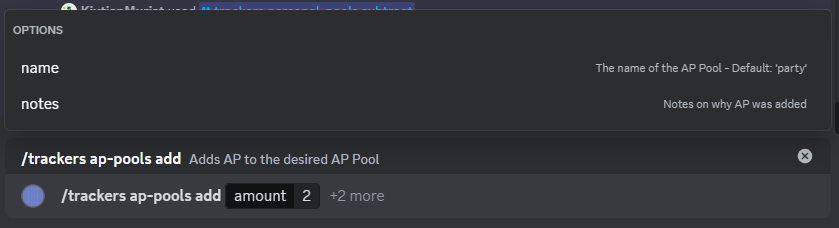
Required Parameters
| Parameter | Purpose |
|---|---|
| amount | The amount of AP to add to the Pool. Must be greater than zero |
Amount Limits
Normally, all AP Pools have a maximum amount of AP that can be stored. If more AP is added than the Pool can store, it is lost. However, the response will contain the amount of AP lost this way. If a Pool has a Max AP of -1 there is no limit.
Optional Parameters
| Parameter | Purpose | Default |
|---|---|---|
| name | The name of the AP Pool to add to | party |
| notes | Notes on why the AP was added |
Response
Successful Response
The response contains the new total amount in the pool, as well as indicating if any AP was lost due to the Max AP limit.

Failure Responses
If the requested AP Pool was not found, the user will be notified.

If the amount is invalid, the user will be notified